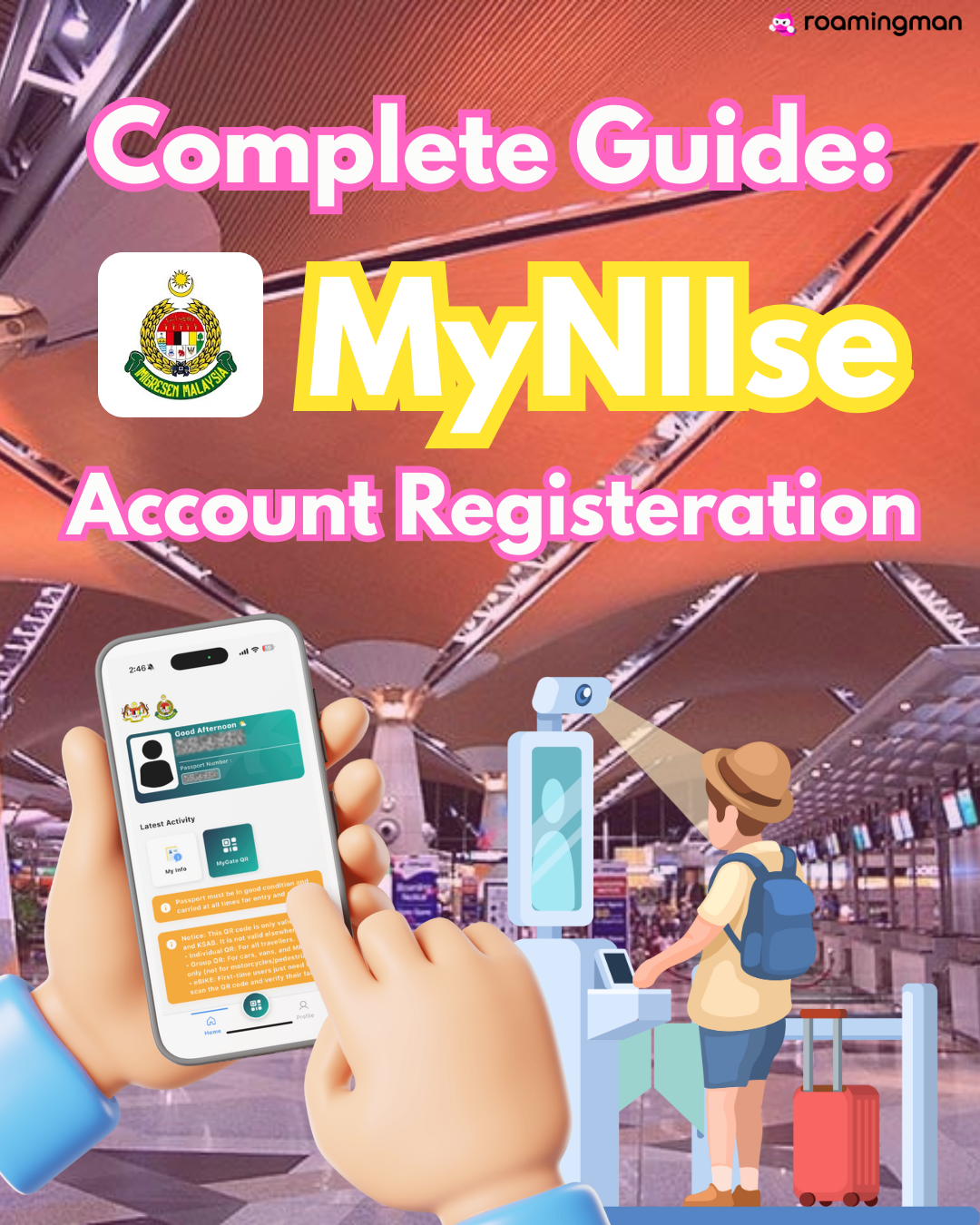
Unsure how to use your boarding pass or access your travel details?
Small things like account setup can turn into stressful moments when you’re in a rush.In this guide, we’ll walk you through the complete MyNiise account registration process step by step.

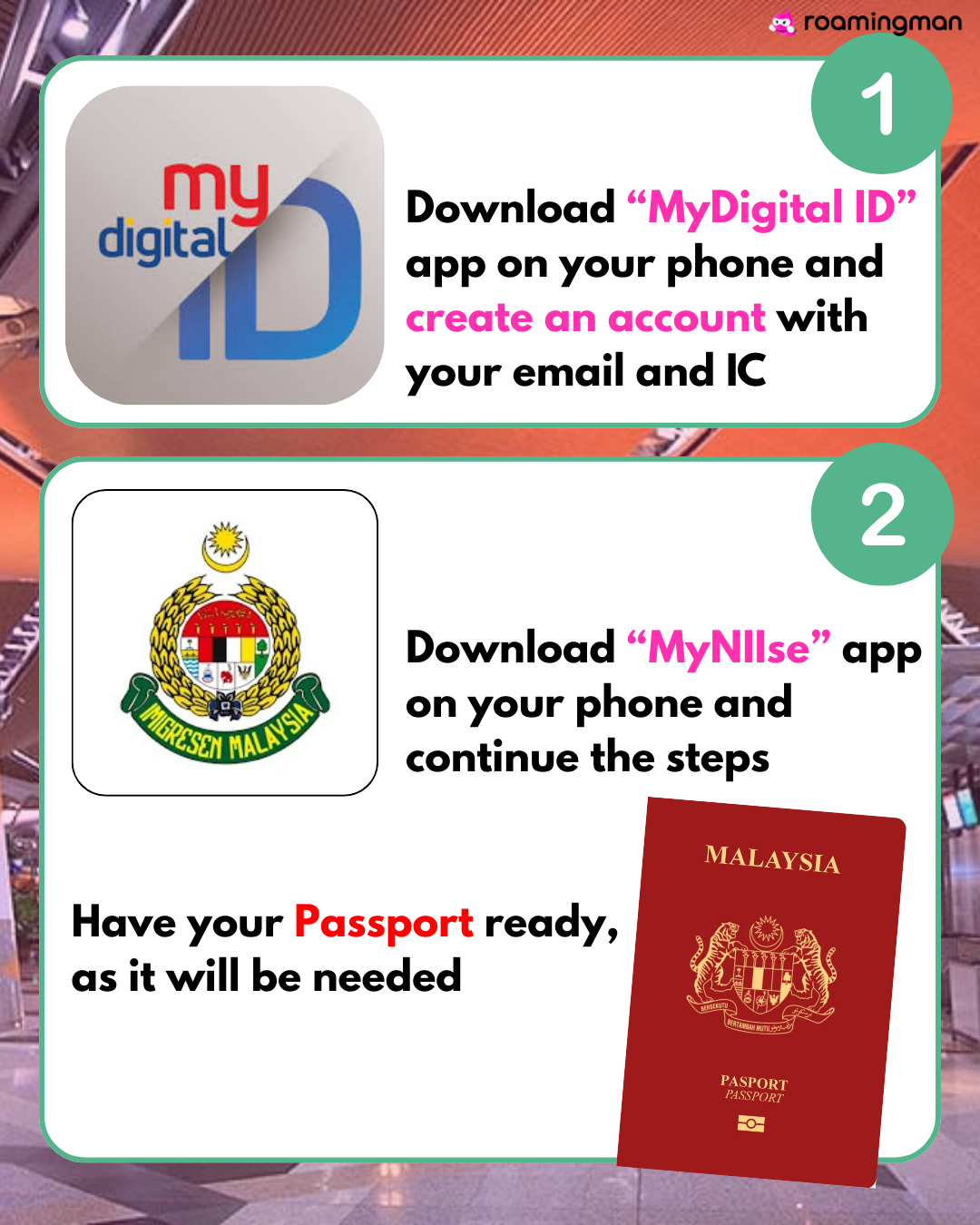
STEP 1:
Download “MyDigital ID” appyourphone an create an account with your email and IC.
STEP 2 :
Download “MyNIIse” app on your phone and continue the steps.

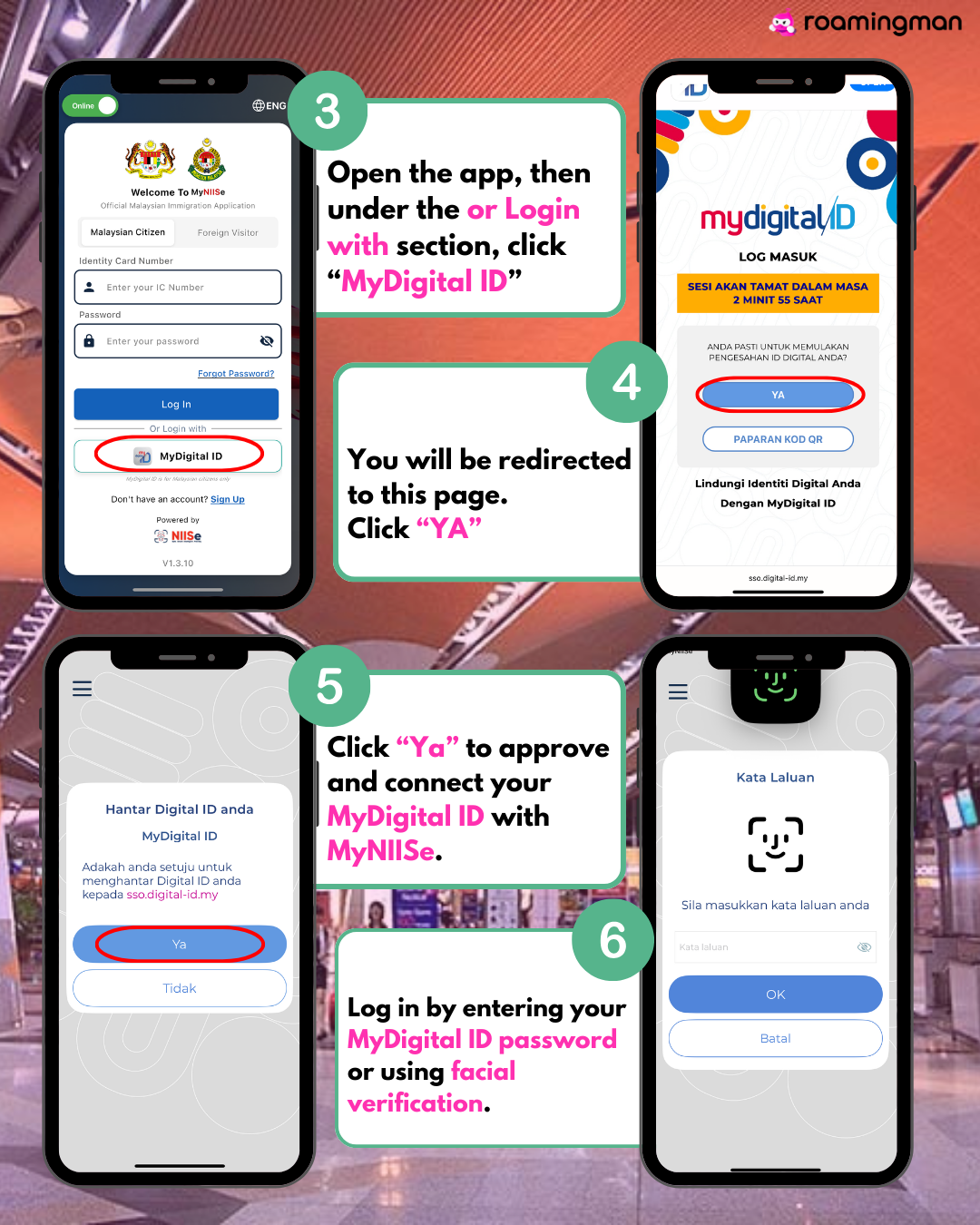
STEP 3 :
Open the app, then under the or Login with section, click “MyDigital ID”
STEP 4 :
You will be redirected to this page.Click “YA”
STEP 5 :
Click “Ya” to approve and connect your MyDigital ID with MyNIISe.
STEP 6 :
Log in by entering your MyDigital ID password or using facial verification.

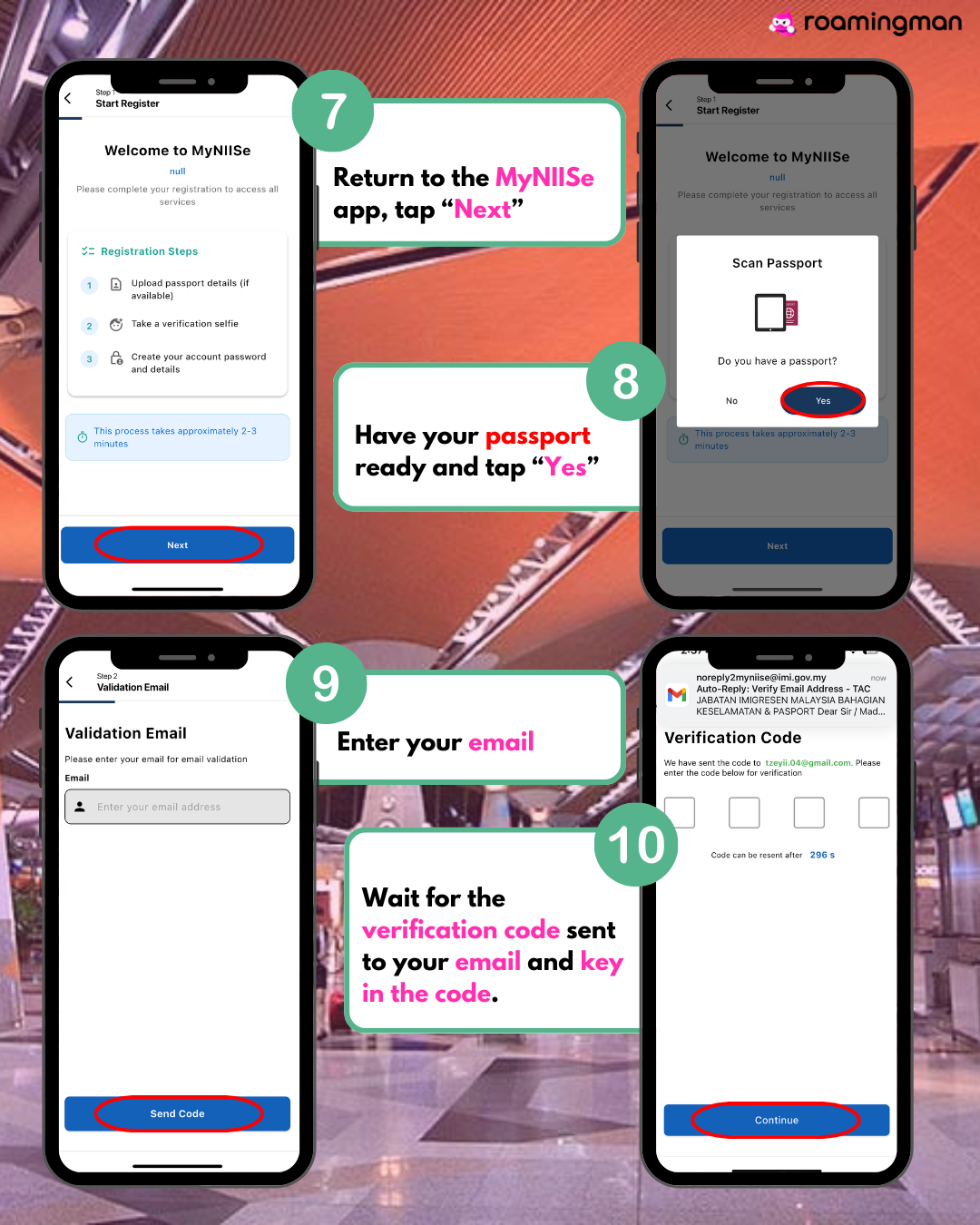
STEP 7 :
Return to the MyNIISe app, tap “Next”
STEP 8 :
Have your passport ready and tap “Yes”
STEP 9 :
Enter your email and click “Send Code”
STEP 10:
Log in by entering your MyDigital ID password or using facial verification.

STEP 11 :
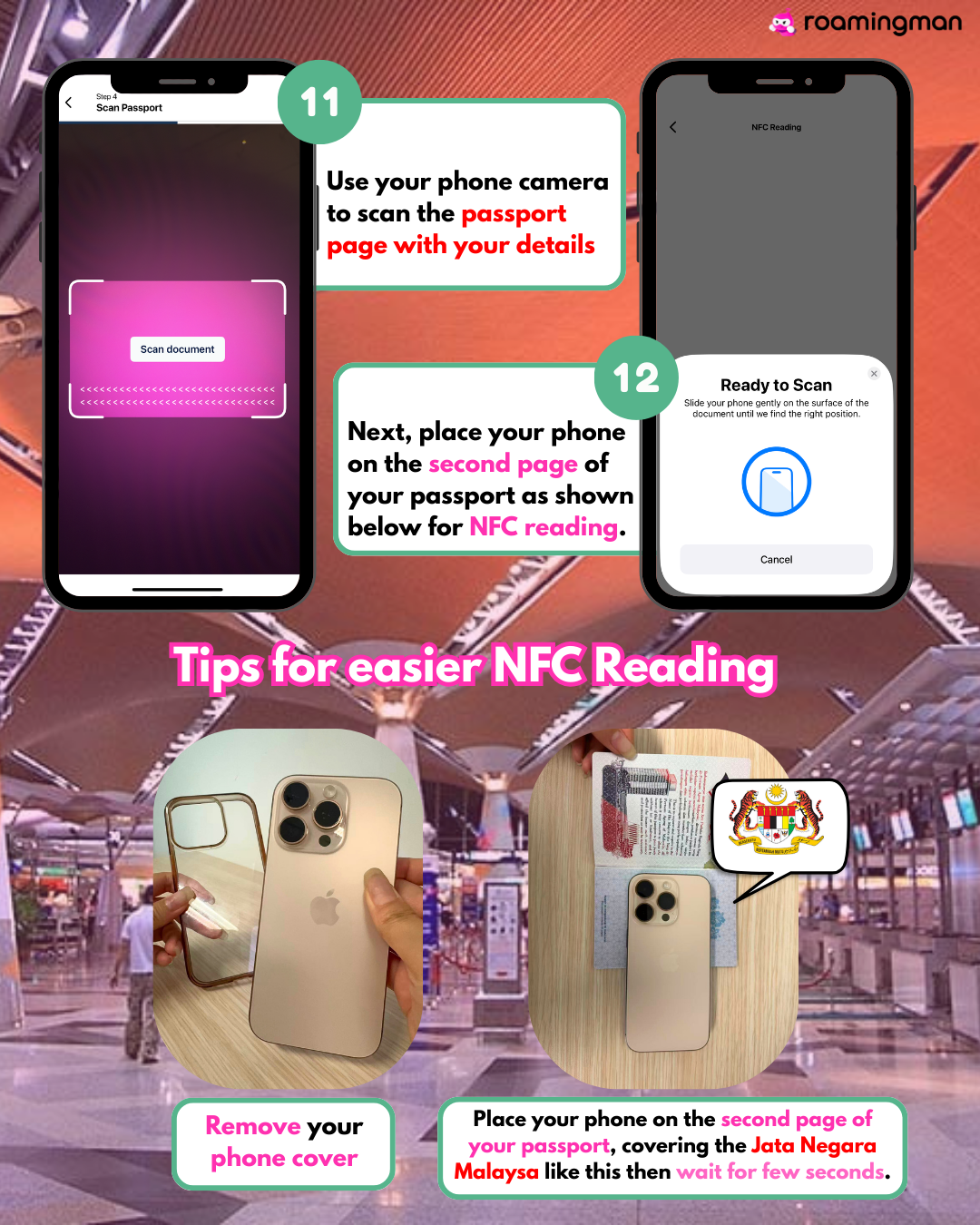
Use your phone camera to scan the passport page with your details
STEP 12 :
Next, place your phone on the second page of your passport as shown below for NFC reading.

STEP 13 :
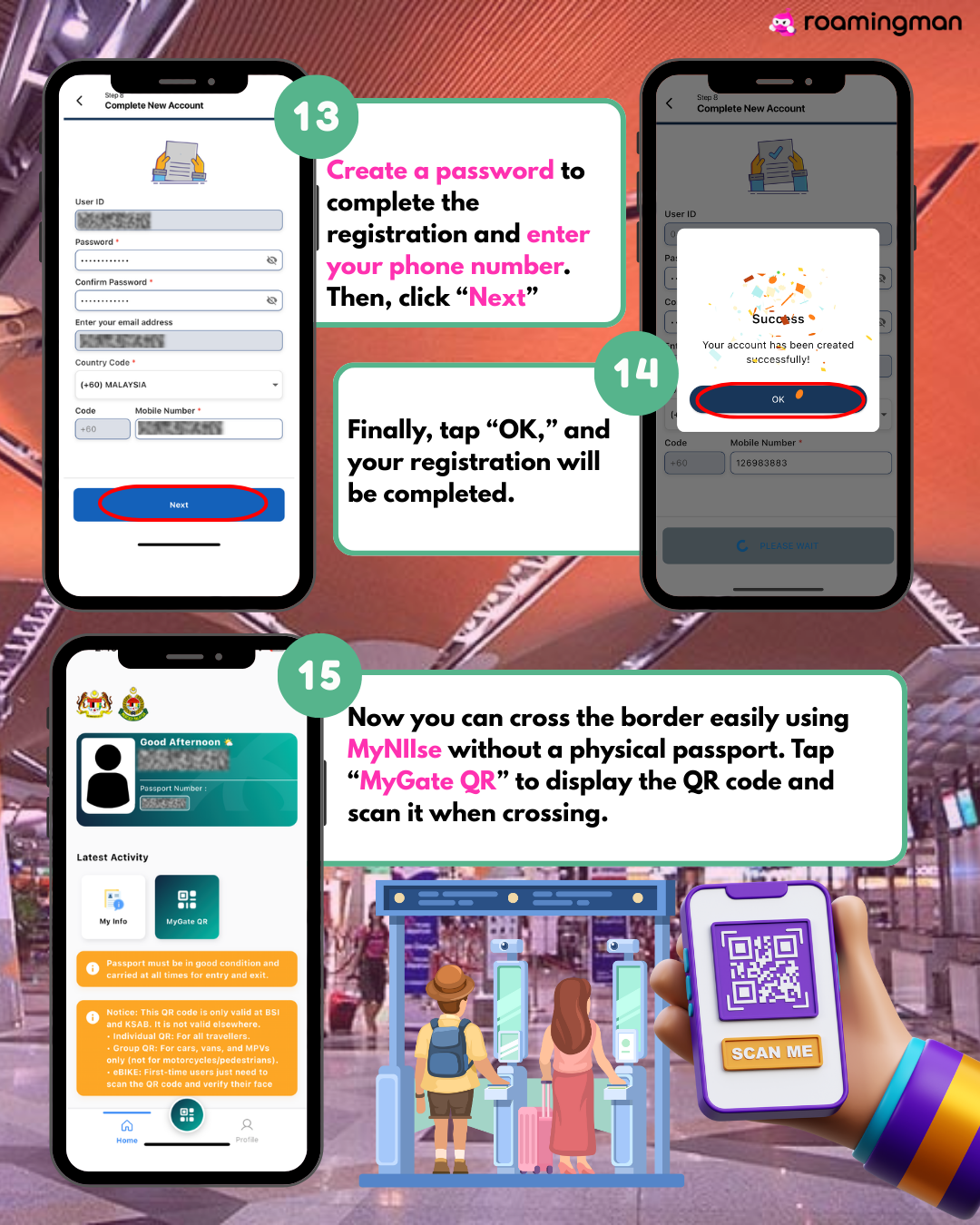
Create a password to complete the registration and enter your phone number. Then, click “Next”
STEP 14 :
Finally, tap “OK,” and your registration will be completed.
STEP 15 :
Now you can cross the border easily using MyNIIse without a physical passport. Tap “MyGate QR” to display the QR code and scan it when crossing.

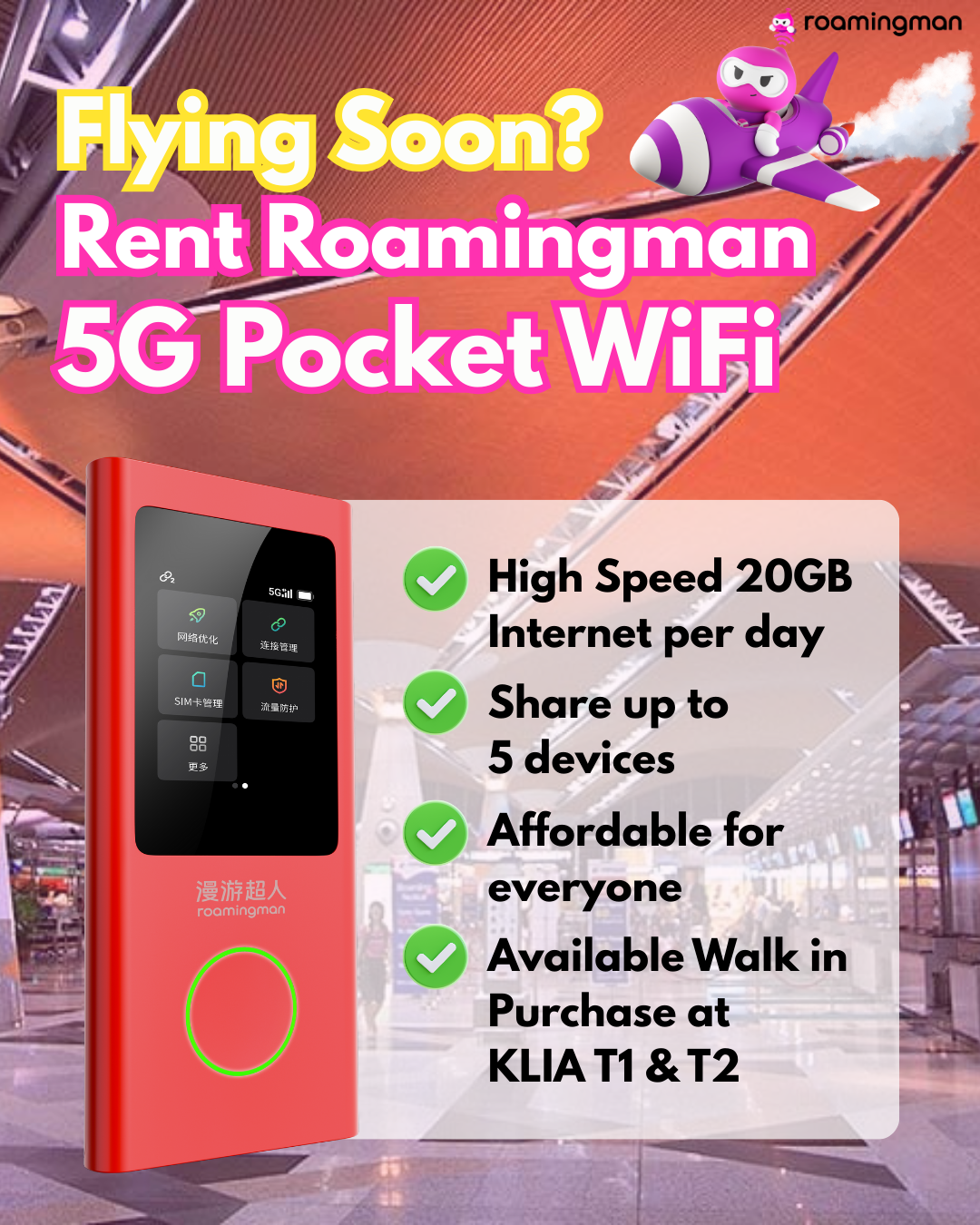
Dont forget rent our Roaming 5G Pocket Wi-Fi to make your travel connectivity smoother and faster!

Book Your Pocket Wifi Now!