
Travelling to China soon?
Good news! Malaysians can now complete the China Arrival Card online before landing, making the immigration process much faster.
One of the easiest ways to do it is through the Touch 'n Go eWallet app.
Here’s a simple step-by-step guide to help you complete it.
Step 1: Switch Your Location to China
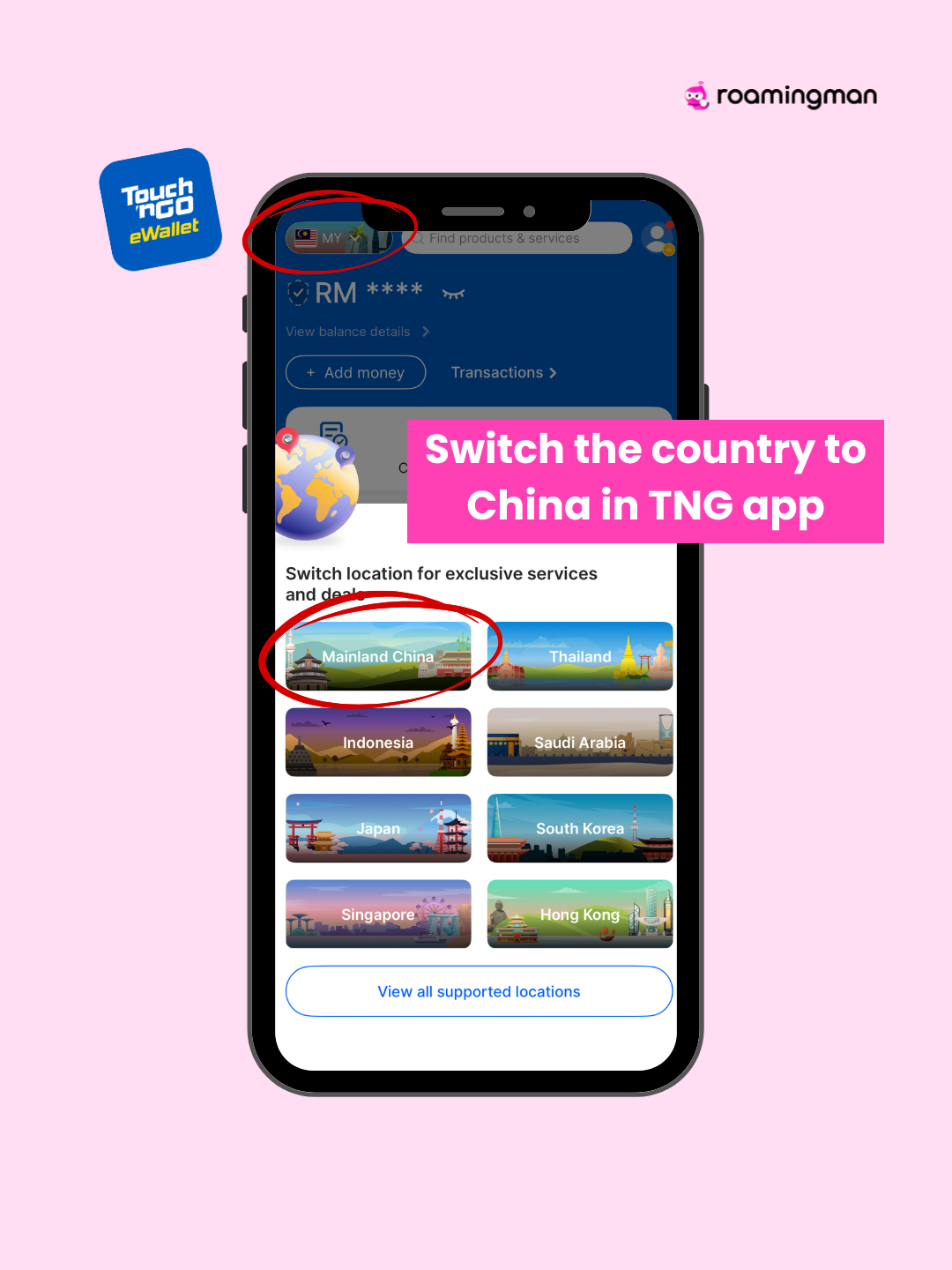
Open the Touch 'n Go eWallet app.
At the top of the app, switch your country location to Mainland China to unlock travel-related services.
Step 2: Find the Arrival Card Feature
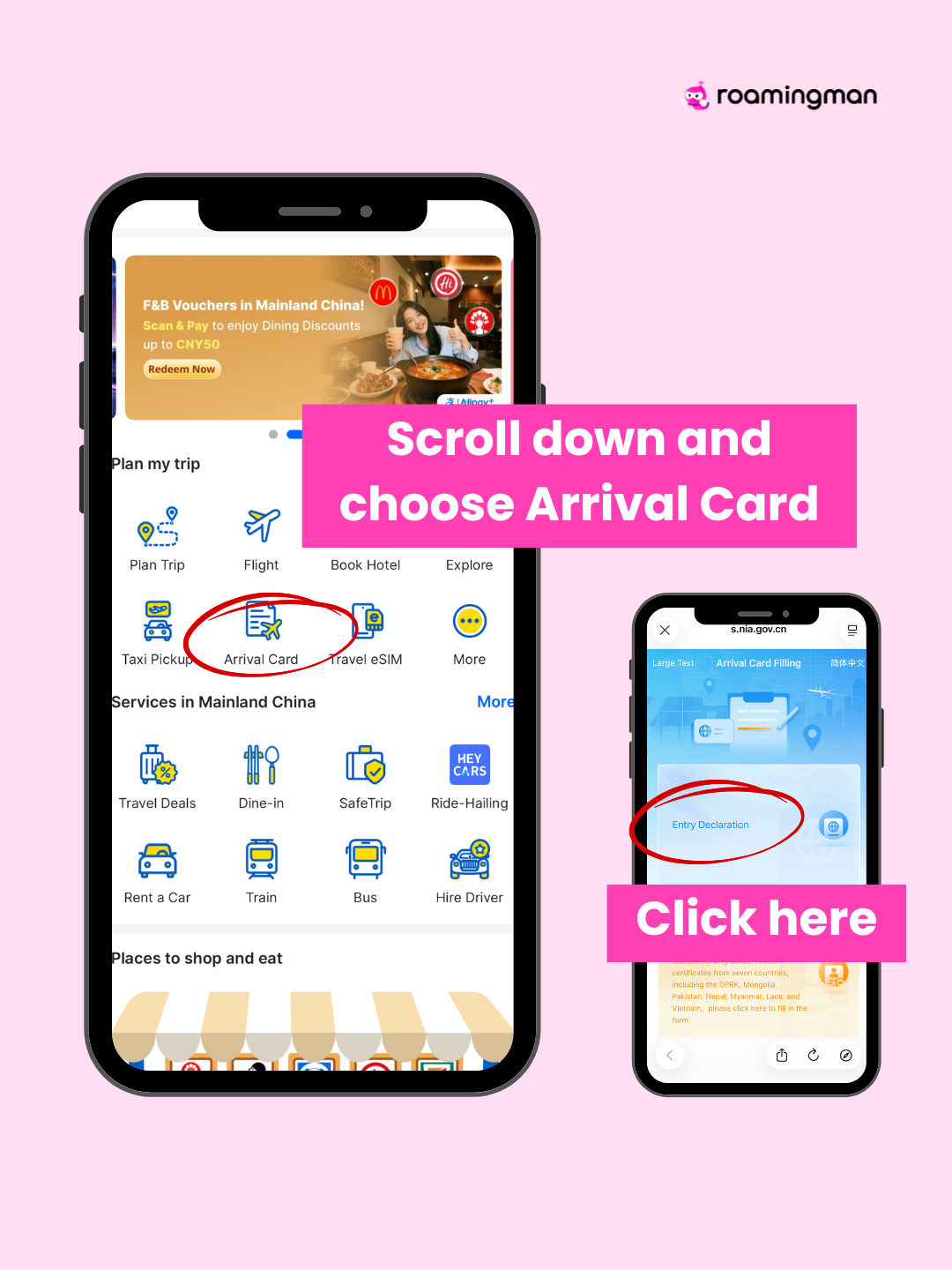
Scroll down in the app until you see Arrival Card.
Tap the icon and click “Entry Declaration” to start filling in your details.
Step 3: Upload Your Passport
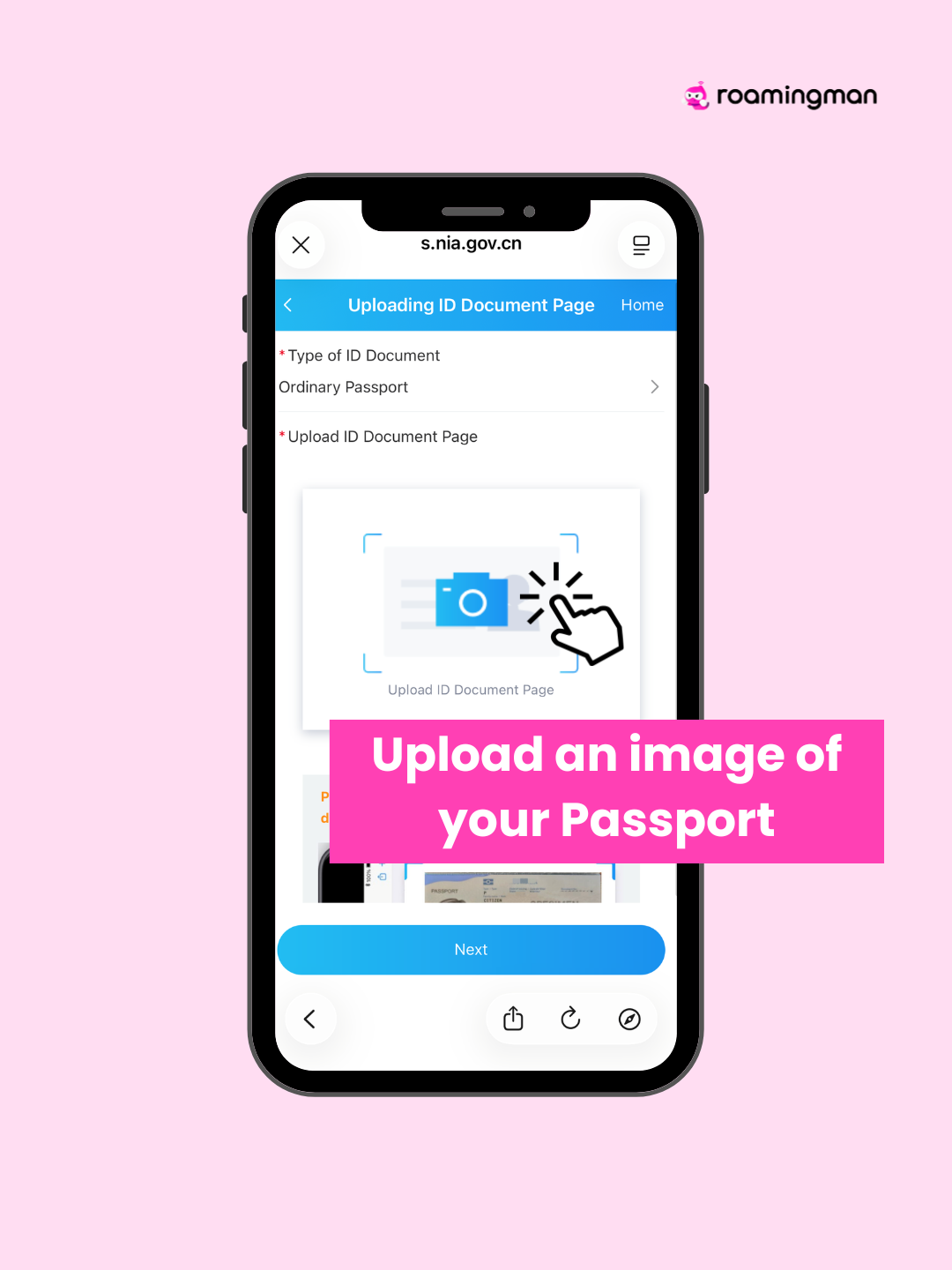
You will be redirected to the immigration website.
Upload a clear photo of your passport information page.
The system will automatically detect your details.
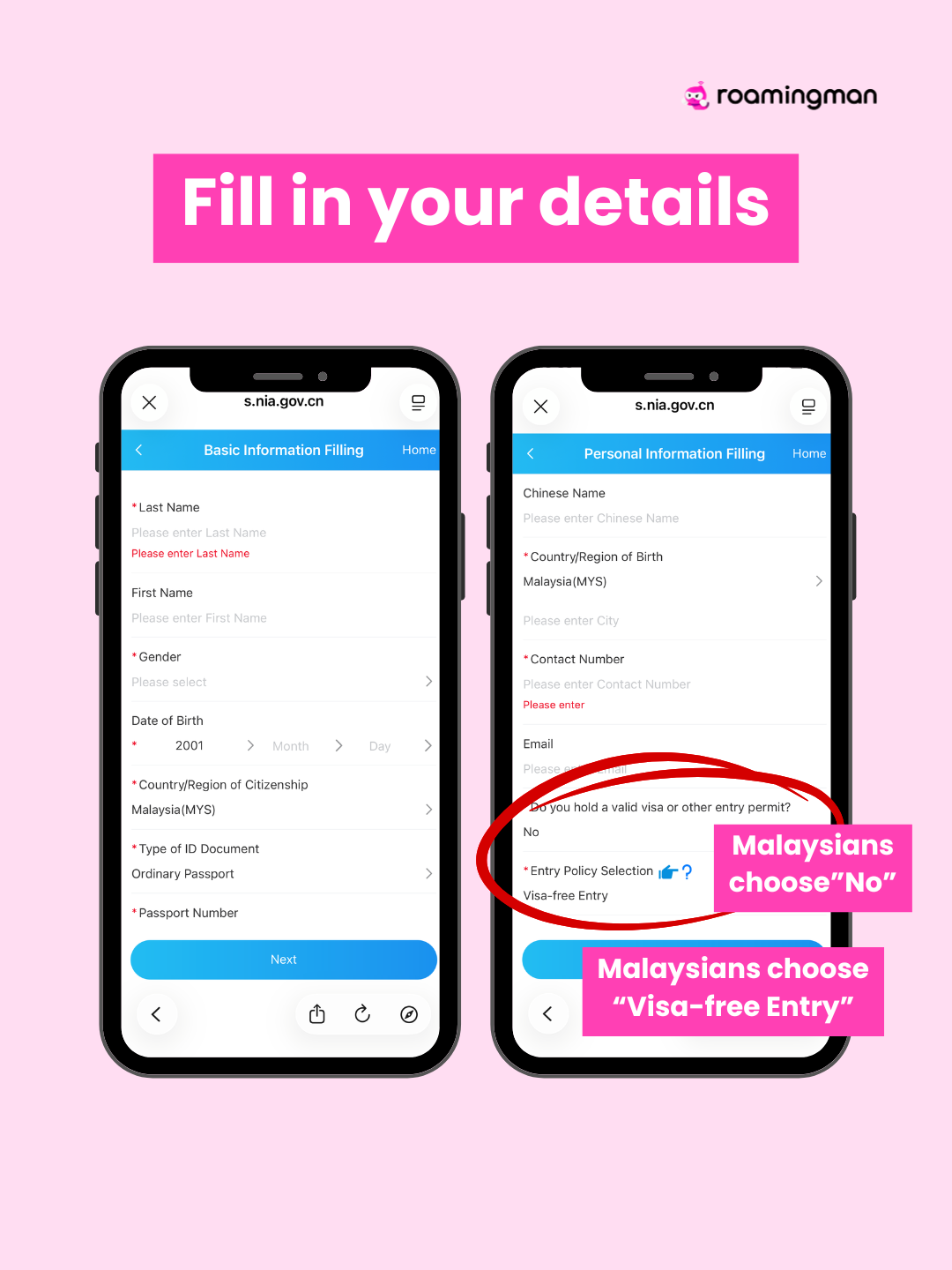
Step 4: Fill in Your Personal Information
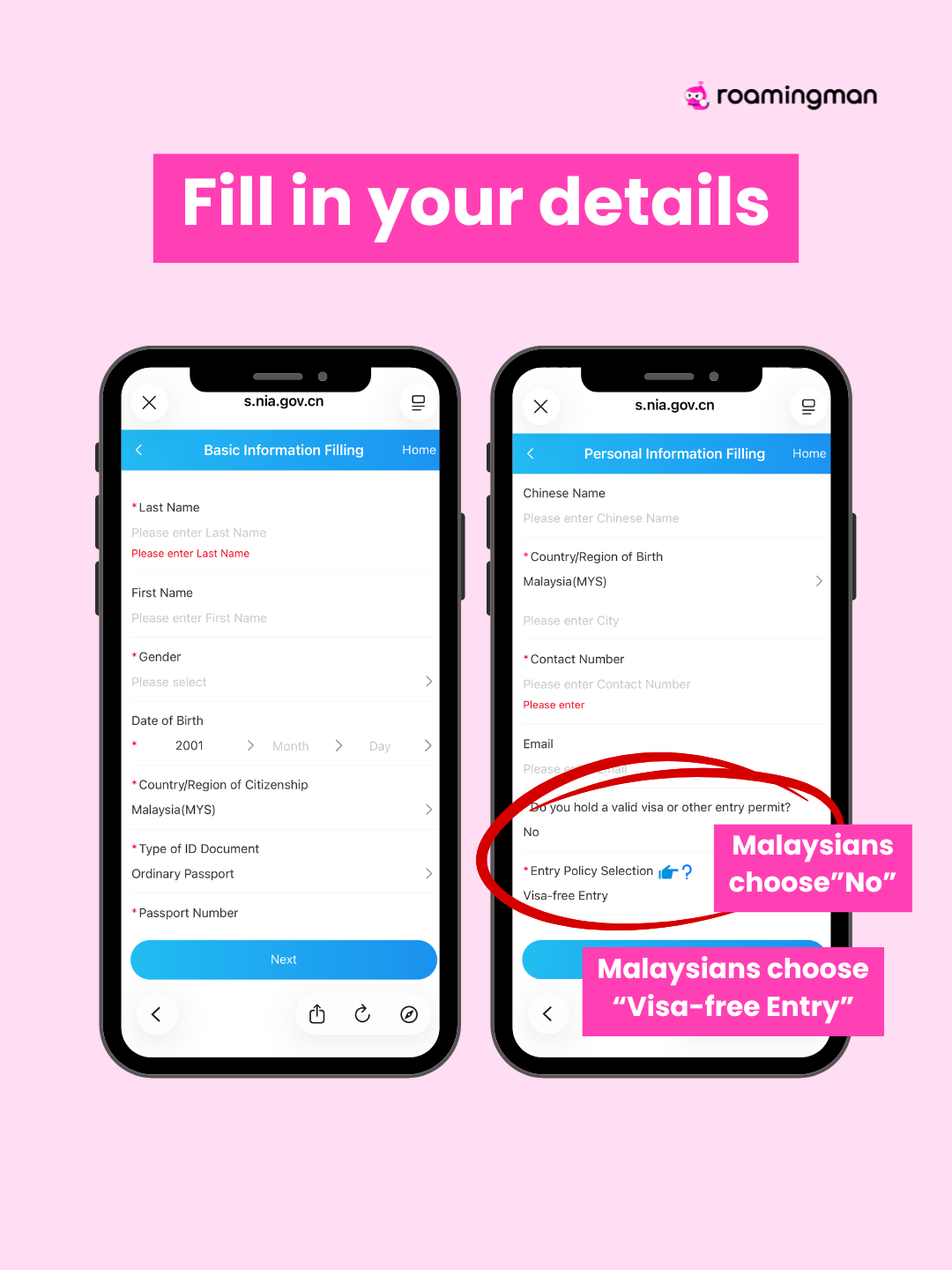
Complete the required fields including:
Full name
Passport number
Date of birth
Contact information
If you are a Malaysian traveller:
Select “No” for visa
Choose “Visa-free Entry”
Malaysia currently enjoys visa-free entry for short stays.
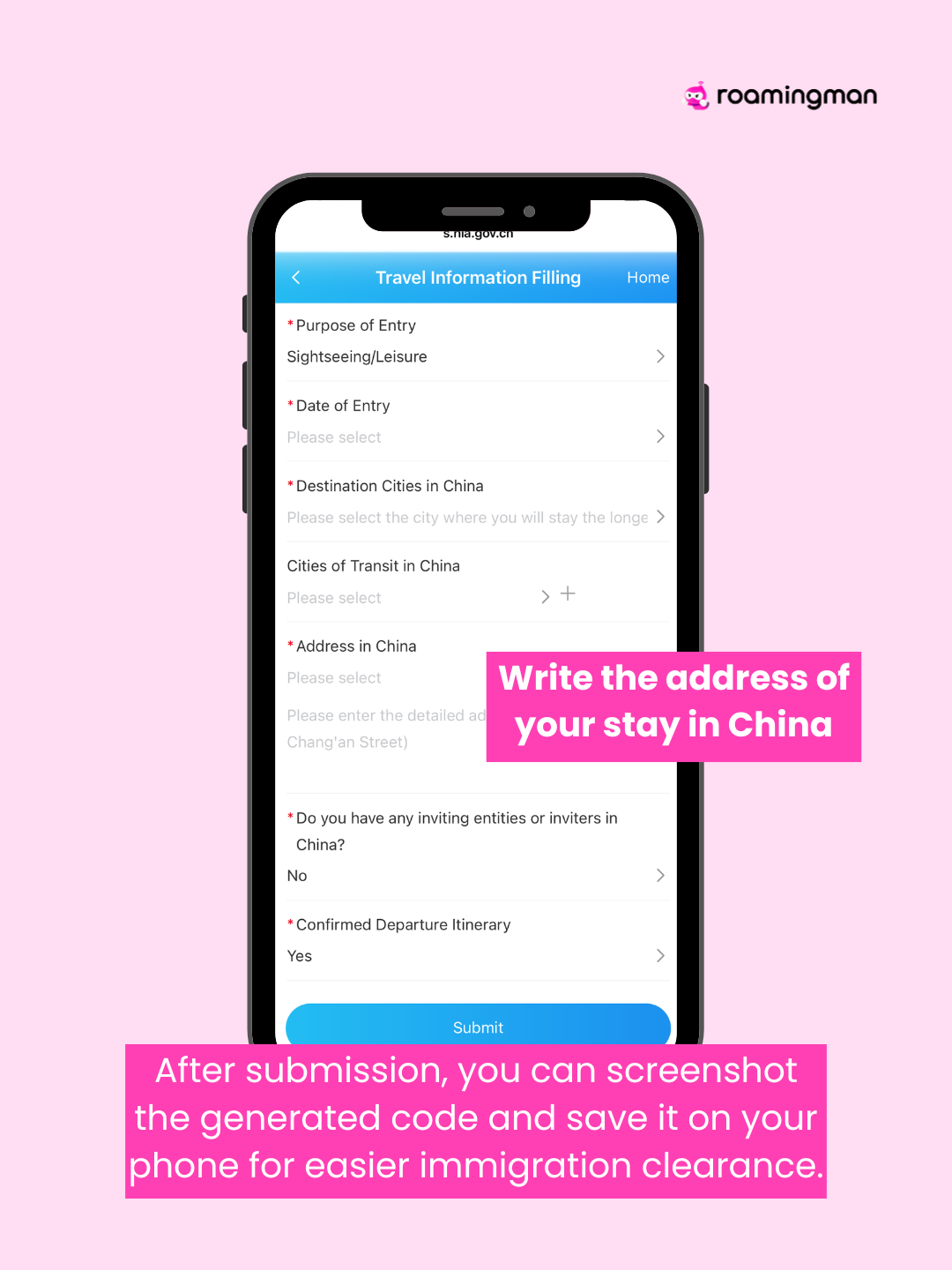
Step 5: Fill in Your Travel Information
You will also need to provide:
Purpose of visit (tourism, business, etc.)
Date of entry
Destination city in China
Address of your accommodation in China
Example: hotel address or Airbnb location.
Step 6: Submit the Form
After submitting the form, a QR code or confirmation page will be generated.
Screenshot and save it on your phone.
You can show this during immigration clearance in China to speed up the process.
Stay Connected in China
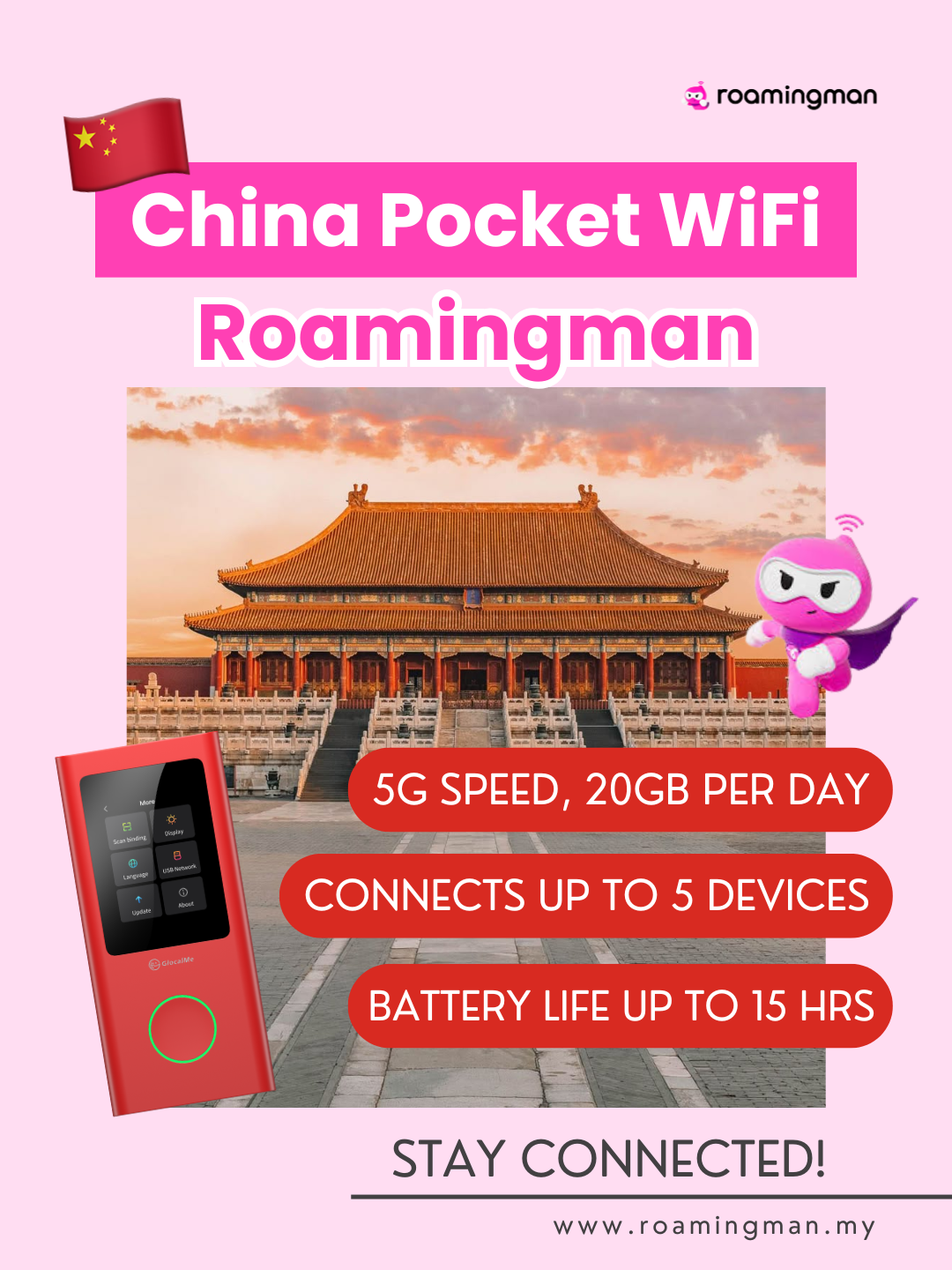
Internet access is essential when travelling in China.
A China Pocket WiFi like Roamingman helps you stay connected throughout your trip.
Benefits include:
- 5G speed with 20GB per day
- Connect up to 5 devices
- Battery life up to 15 hours
Perfect for using maps, translation apps, ride-hailing services, and mobile payments.
Complete your arrival card before your flight so you can pass through immigration faster when you land in China.
Learn more

